Linux Installation: Ubuntu, RHEL, CentOS & Fedora Guide
DreamFactory can be installed on most common Linux platforms using our automated installer. The installer is designed to deploy DreamFactory as the primary application on the server (the site is published on port 80 of the local host). This guide provides instructions for downloading and running the installer on a new Linux server.
Supported Operating Systems
DreamFactory currently supports the following flavors of Linux:
- CentOS 7
- RHEL 7/8/9
- Oracle Linux 7/8
- Debian 10/11
- Fedora 36/37
- Ubuntu 22/24
Automated Installer
The installer can be found in DreamFactory's GitHub repository.
Follow these steps to execute the script on your Linux machine:
-
Download the script from GitHub:
wget https://github.com/dreamfactorysoftware/dreamfactory/raw/master/installers/dfsetup.run -
Make the installer executable:
chmod +x dfsetup.run -
Run the installer as sudo:
sudo ./dfsetup.run
Using the Installer
Once the installer opens, an interactive menu displays:
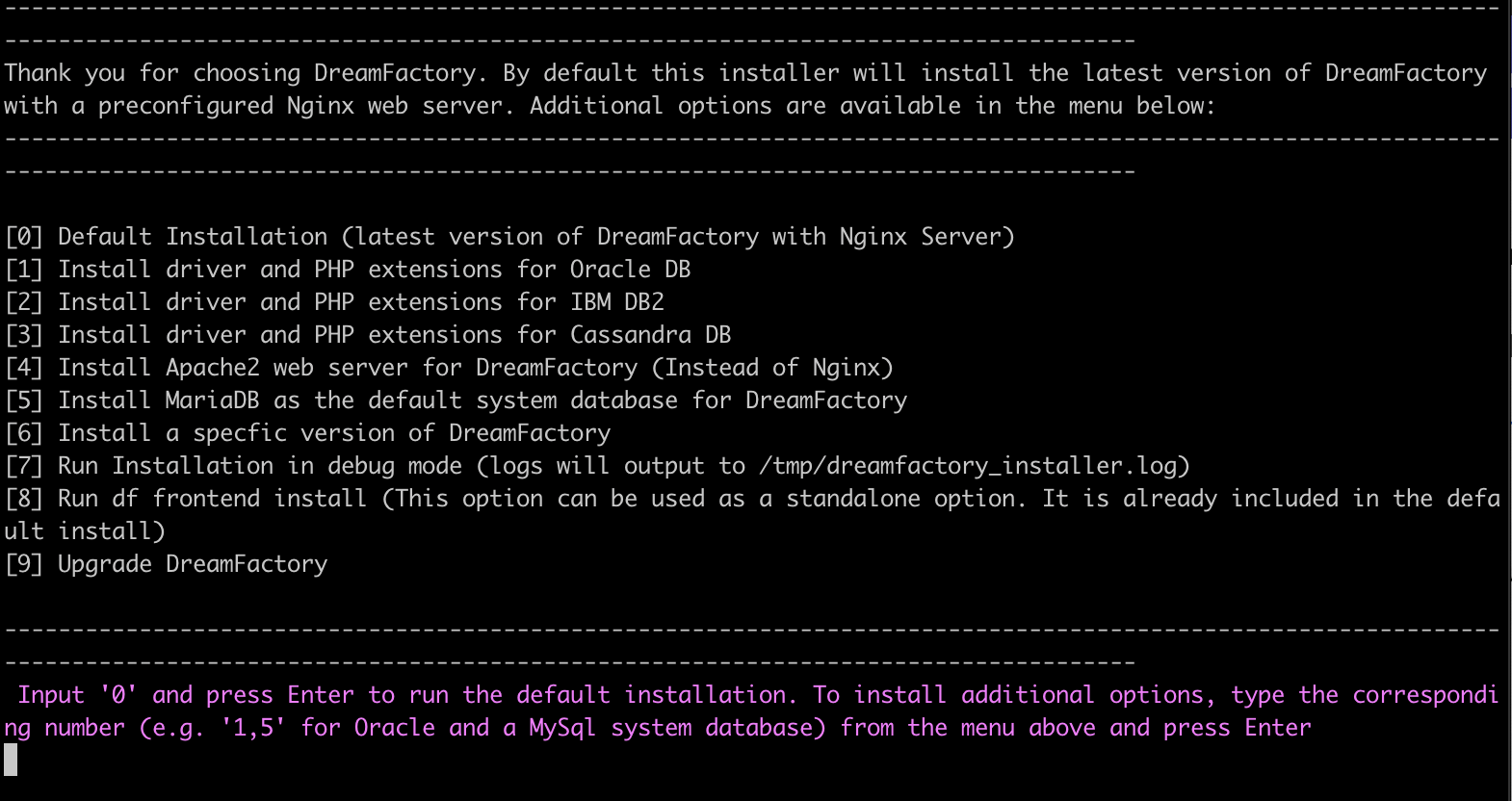
A typical installation uses options 0, 5, and 8 for a default build of the latest version of DreamFactory with NGINX as a web server. MariaDB is installed and configured as the system database, and a debug log is available in the /tmp/ directory.
If using the options for Oracle or Trino drivers please refer to Installing Additional Drivers
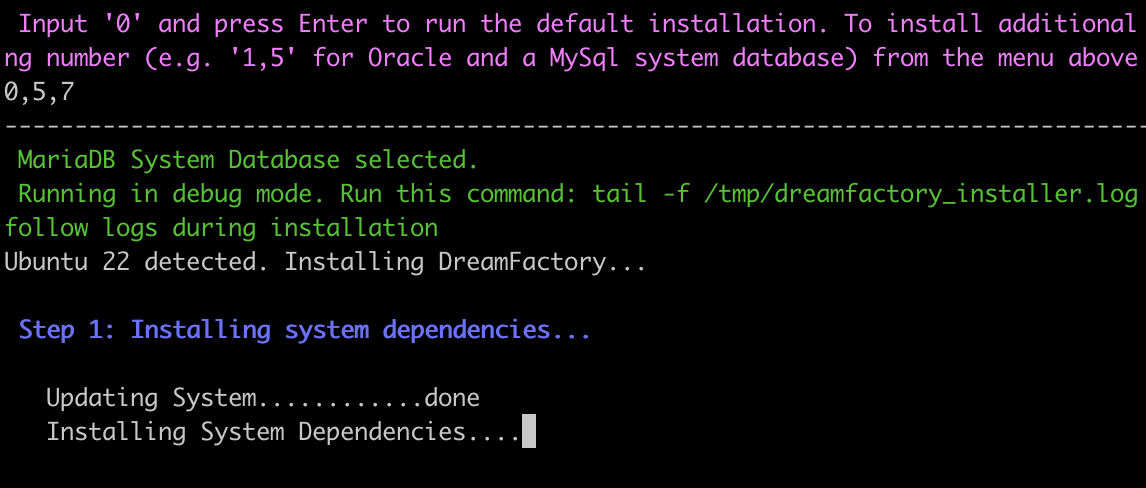
The installer verifies the Linux platform is supported and then begins installing dependencies. As each dependency is installed, a progress bar (...) is visible along with any issues that are encountered. You can also tail the log file in the /tmp directory if needed.
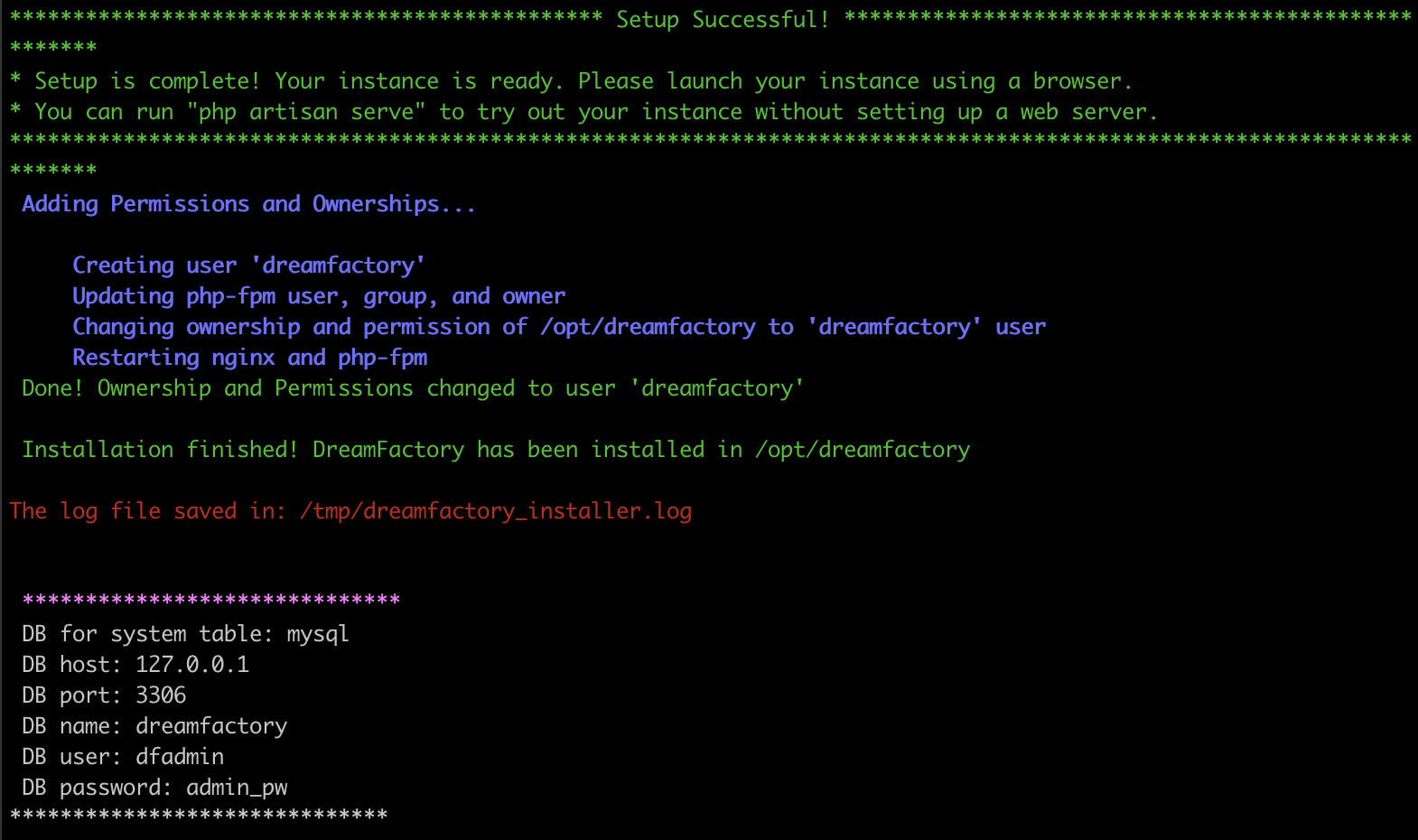
The rest of the installer's process provides prompts for you to enter the location of commercial license files, database settings, and initial admin user information. Ensure that you record the system DB details before closing the terminal.
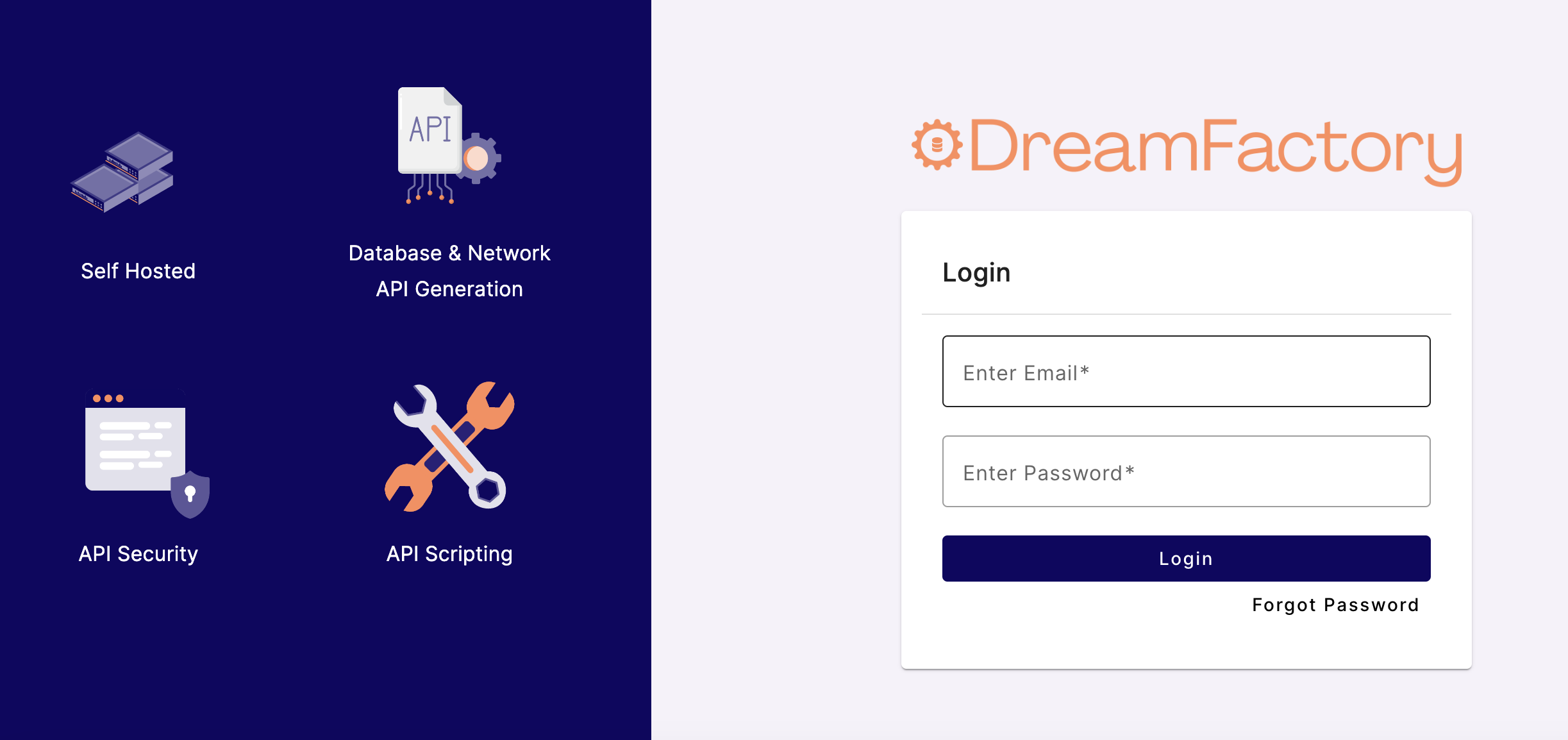
You can now access the DreamFactory UI from a web browser by pointing to the server IP address and using the credentials created during the installer process.
Installing DreamFactory on Ubuntu 22.04/24.04
Ubuntu is the most commonly used Linux distribution for DreamFactory deployments. The automated installer handles all dependency installation (PHP 8.1+, NGINX, MariaDB) automatically on Ubuntu 22.04 LTS and Ubuntu 24.04 LTS.
# Download the installer
wget https://github.com/dreamfactorysoftware/dreamfactory/raw/master/installers/dfsetup.run

# Make it executable
chmod +x dfsetup.run

# Run as root/sudo
sudo ./dfsetup.run
Select options 0 (install all), 5 (NGINX web server), and 8 (MariaDB system database) for a standard Ubuntu installation. The installer will configure PHP, NGINX, and the DreamFactory application automatically.
After installation completes, DreamFactory is accessible at http://<your-server-ip>. The system database credentials are displayed at the end of the installation — save these before closing the terminal.
Installing DreamFactory on RHEL/CentOS 8/9
Red Hat Enterprise Linux (RHEL) and CentOS are common in enterprise environments. The DreamFactory installer supports RHEL 7/8/9 and CentOS 7.
Before running the installer on RHEL 8/9, ensure the EPEL repository is enabled:
# Enable EPEL on RHEL/CentOS 8
sudo dnf install -y https://dl.fedoraproject.org/pub/epel/epel-release-latest-8.noarch.rpm

# Enable EPEL on RHEL/CentOS 9
sudo dnf install -y https://dl.fedoraproject.org/pub/epel/epel-release-latest-9.noarch.rpm
Then run the DreamFactory installer:
wget https://github.com/dreamfactorysoftware/dreamfactory/raw/master/installers/dfsetup.run
chmod +x dfsetup.run
sudo ./dfsetup.run
On RHEL/CentOS, select option 0 to install all prerequisites, then 5 for NGINX and 8 for MariaDB. If you require Oracle or Trino database drivers, see Installing Additional Drivers.
Installing DreamFactory on Debian
DreamFactory supports Debian 10 (Buster) and Debian 11 (Bullseye). The installation process is identical to Ubuntu:
wget https://github.com/dreamfactorysoftware/dreamfactory/raw/master/installers/dfsetup.run
chmod +x dfsetup.run
sudo ./dfsetup.run
Debian 10/11 uses apt as its package manager. The installer automatically detects the Debian variant and selects the correct package repositories for PHP 8.1+ and NGINX.
Installing DreamFactory on Fedora
DreamFactory supports Fedora 36 and Fedora 37. Fedora uses dnf for package management and the automated installer handles this transparently:
wget https://github.com/dreamfactorysoftware/dreamfactory/raw/master/installers/dfsetup.run
chmod +x dfsetup.run
sudo ./dfsetup.run
On Fedora, select NGINX (option 5) as the web server and MariaDB (option 8) as the system database. Note that Fedora packages may differ slightly from RHEL/CentOS — if you encounter dependency conflicts, check the installer log in /tmp/ for details.
About The system database
During the installation, you must point DreamFactory's installation to a system database. This database holds the entire configuration for your DreamFactory instance and can be used to replicate, restore, or upgrade an instance in the future. While the default configuration above can set up a system database on localhost, many users, especially those at scale, prefer the system database to be hosted elsewhere. This configuration can be (re)entered by running the following command from the /opt/dreamfactory/ directory:
php artisan df:env
The configuration can also be changed manually by editing /opt/dreamfactory/.env. For more information, refer to our DreamFactory Basic Configuration documentation.
Supported system databases
Currently, the supported system database types are:
- SQLite
- MySQL (MariaDB)
- PostgreSQL
- SQL Server